
Open an electronic patient record (EPR) and upload your PrevCheck report
by
CHRISTIAN3 March 2026 at 16:41 CET
The electronic patient record (EPR) is the digital solution for anyone who wants their health information to be clearly organized, secure, and available at all times. Instead of scattered documents at different doctors' offices, pharmacies, and hospitals, the EPR puts everything in one central location, from vaccination records, medication lists, and X-rays to lab results and living wills.
You can give selected healthcare institutions and professionals access to this data in order to avoid duplicate examinations and be better involved in your own care.
The best part is that all your data is securely encrypted in accordance with federal law and stored on servers in Switzerland.
Requirements for opening an EPD
To open an EPD, the following requirements must be met:
- Minimum age: 18 years
- Residence in Switzerland
- An electronic identity (eID), e.g., SwissID, TrustiD, or MyTrustiD
- A smartphone with a valid mobile number and access to your email account
- A passport or identity card for identification
- A little patience
To be able to use the EPD, you will also need your health records in PDF format. Put simply, the EPD in its current state is similar to Dropbox, Owncloud, or any other cloud storage provider, with the difference that only PDFs can be stored. With PrevCheck, you can download your health report as a PDF from your account at any time to store it in the EPD.
Let's get started
1. Do you already have an electronic identity (eID)?
 Providers of eID in Switzerland: SwissID and TrustiD
If you use Swiss Post's online services, have logged in to your company pension scheme or cantonal authorities, you probably already have a SwissID or TrustID. Check your email inbox for swissid.ch or trustid.ch to find out. If you already have an account with one of the two providers (TrustiD and MyTrustiD are identical), continue with step 3.
2. Create an electronic identity
If you do not have an eID, create an account with SwissID or TrustID. SwissID is a service provided by Swiss Post and is currently somewhat more useful in everyday life as it is more widely used and more EPD providers rely on it (see 4. Select EPD provider). Apart from that, both services are similar.
3. Confirm your electronic identity
To use SwissID or TrustID for the EPD, you must confirm your identity. In this process, a selfie video of your face is compared with images of your ID. You must take the necessary images yourself with your smartphone. With SwissID, there are two ways to do this when you are logged into your account:
- Scan the QR code with your smartphone and go through the process (record a selfie video and photograph your ID) using your mobile browser. Ideal for those who don't want to download another app.
- Go through the same procedure using the SwissID app (Link Playstore, Link App Store).
The process, whether with or without the app, has its pitfalls. The ratings for SwissID and TrustID in the Google Play Store (1.7/5 stars from 2316 reviews) and in the Google App Store (2.1/5 stars from 367 reviews) show that some users have had problems with the app. Unfortunately, the situation is not much better for TrustID (1.5/5 stars from 377 reviews in the Play Store and 2.6/5 stars from 986 reviews in the App Store) – both as of September 12, 2025.
Especially if you have an older phone or an alternative operating system, you will most likely not be able to use options 1 and 2. Option 1 fails due to PassKey implementation (both iCloud in combination with an old version of iOS and the implementation on Android cause problems) and option 2 fails due to Google Play integrity requirements.
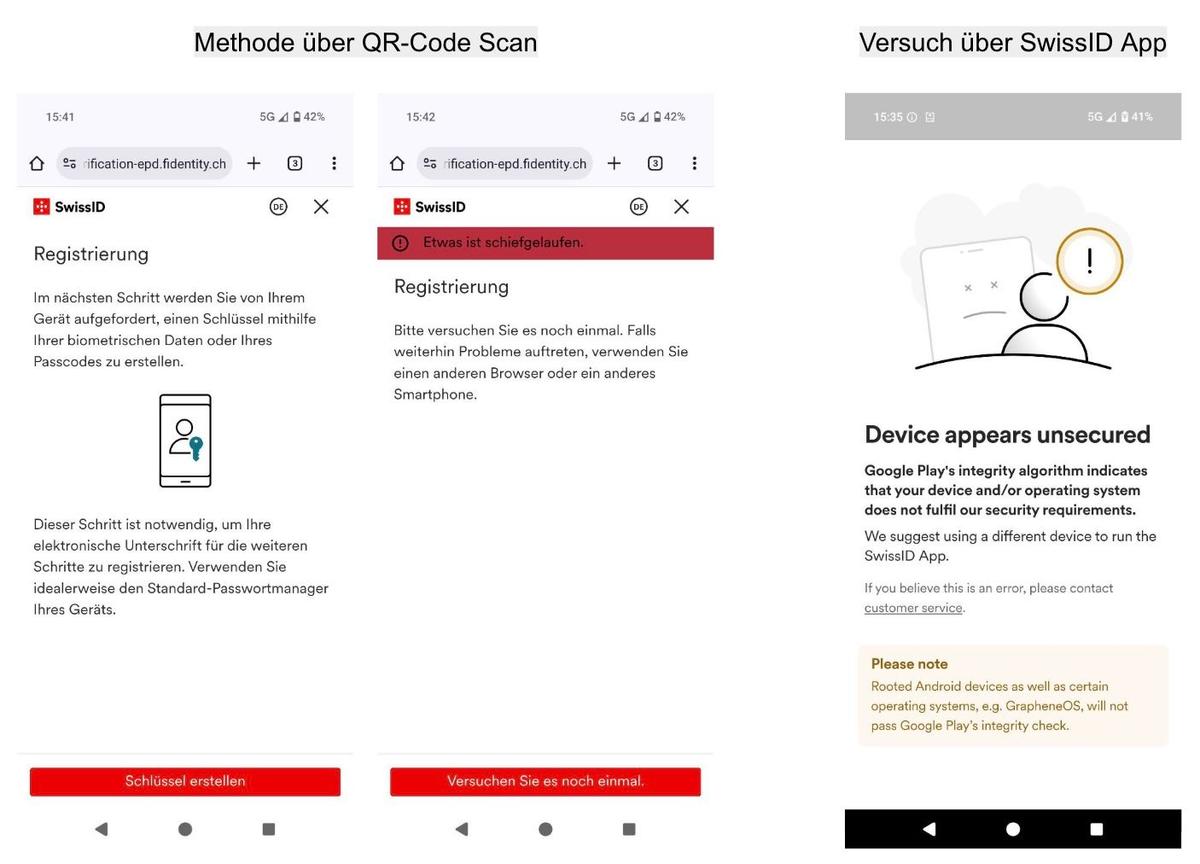 Problems on a Pixel 9a with the latest GrapheneOS. Dear developers, whatever the legal requirements are, if SwissID and TrustiD are to be the backbone of authentication for the EPD, they must work smoothly on all devices, operating systems, and for all people, whether they are IT-savvy or not. One example of how this can work is the American identification service Persona Identities (used by LinkedIn and Etsy, among others).
The good news: if both of these methods fail, there is a third way to confirm your identity. Print out the ‘Application form for verified identity with SwissID’ from your SwissID account and take your ID to one of the few identification centers (call ahead to make sure someone is there). - Map of certification centers. Since methods 1 and 2 didn't work for me, I chose this option and rode my bike to SwissSign AG in Opfikon. I was greeted very warmly and was even offered a coffee. The employee then disappeared for a few minutes with my ID and the form to make copies. Afterwards, there were a few verification questions, and shortly thereafter, my identity was confirmed in the SwissID account.
4. Select an EPD provider
What can be a little confusing about the EPD is that there are a number of different providers. An EPD can currently be opened online, but also at an EPD event, during a visit to the doctor or hospital, or at a pharmacy. However, this does not mean you can avoid having an identity-verified eID, as you always need this to access your EPD. An up-to-date overview of the various providers is available at patientendossier.ch. The good news is that it doesn't really matter which provider you choose, as providers are legally required to be compatible with each other.
However, you should note that, with the exception of cara, where this varies depending on the canton, almost every provider is only compatible with one of the two eID providers.
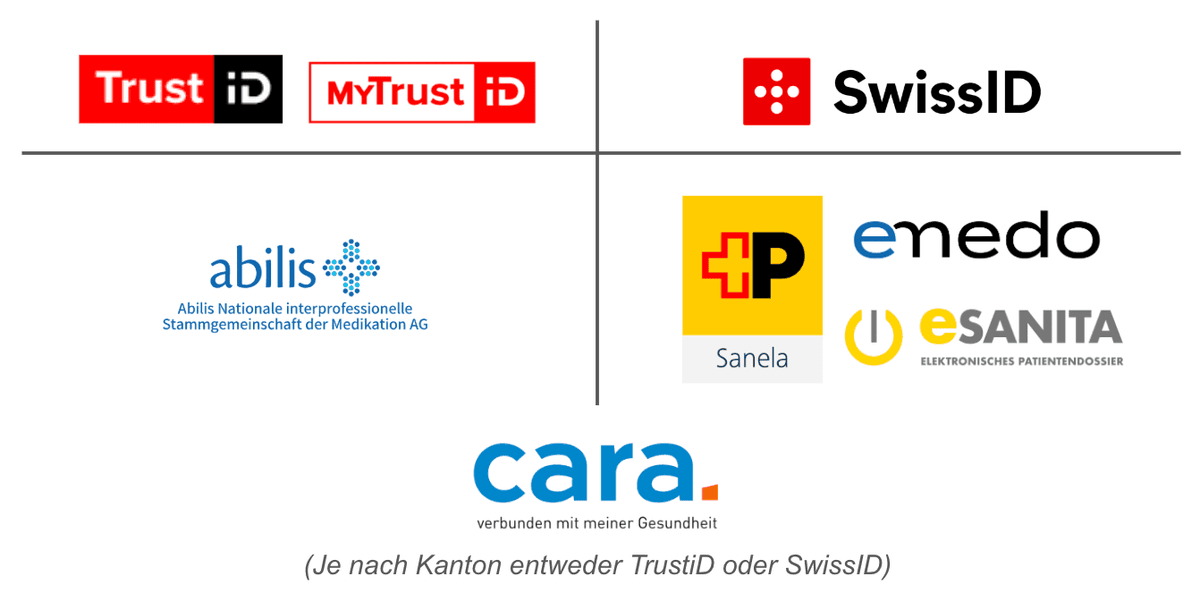 Compatibility between eID providers and EPD providers
- Open an EPD
To keep this article concise, we will only show you how to register with one provider, namely Post Sanela.
- Visit post-sanela.ch and click on ‘Open my EPD now’.
- In the following process, you must specify your canton of residence, register with SwissID, confirm this registration with the SwissID app or via SMS code, and share your data (name, language, email, and phone number) with Post Sanela.
- You will then receive an initial password for your first login and the link to the TrustiD or SwissID login.
- Log in with the initial password, follow the steps, and you're done!
🎉 Congratulations, you've done it and can now view your EPD 🎉
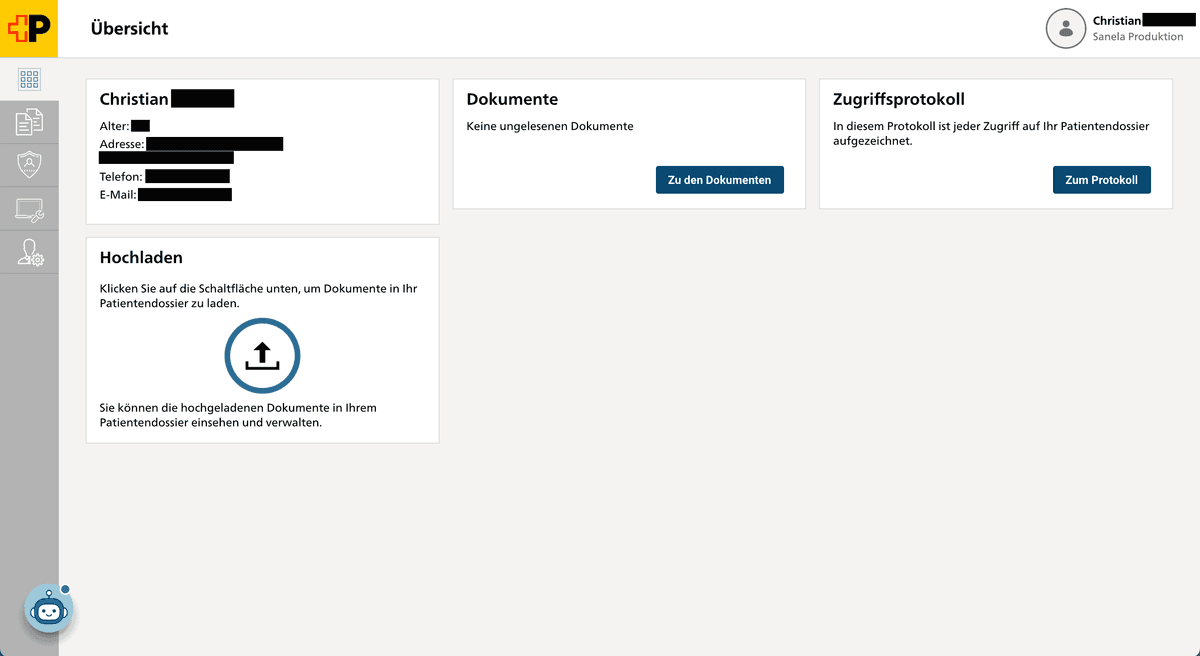 EPD account with Post Sanela
6. Upload your PrevCheck report
After you have been to the pharmacy for the measurements, you can download a PDF of your results from your account:
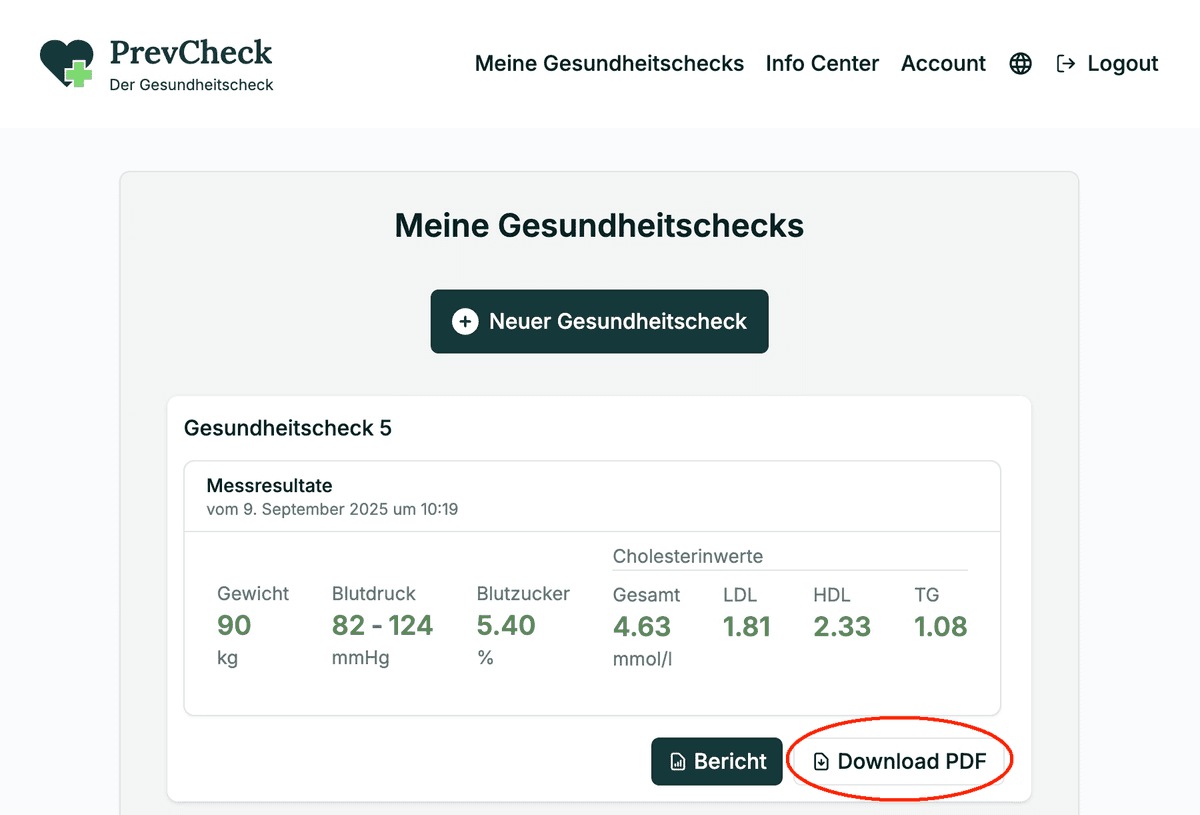 PDF report of your results
And add it to your EPD using the ‘Upload’ function. Your EPD will then look like this:
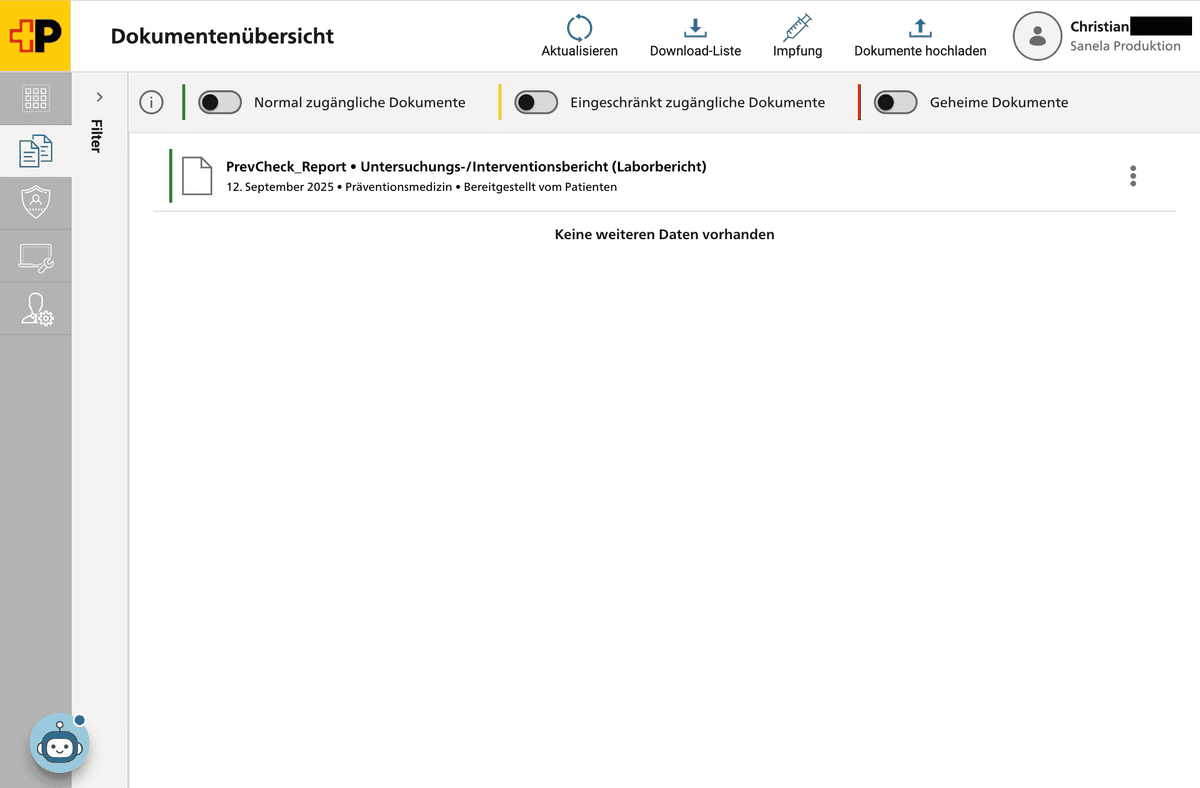 Document overview with PrevCheck report after uploading to the EPD
Now you can, of course, scan many other documents, such as vaccination records, lab results, prescriptions, etc., and add them to the EPD. Thank you for your contribution to more efficient healthcare, which ultimately benefits everyone.
Get exclusive health tips & a 10 CHF discount on your first checkup!
Subscribe to Newsletter Now!
By submitting this information, you confirm that you have read and understood our Privacy Policy.